Best Smart Plugs & Switches for Automation
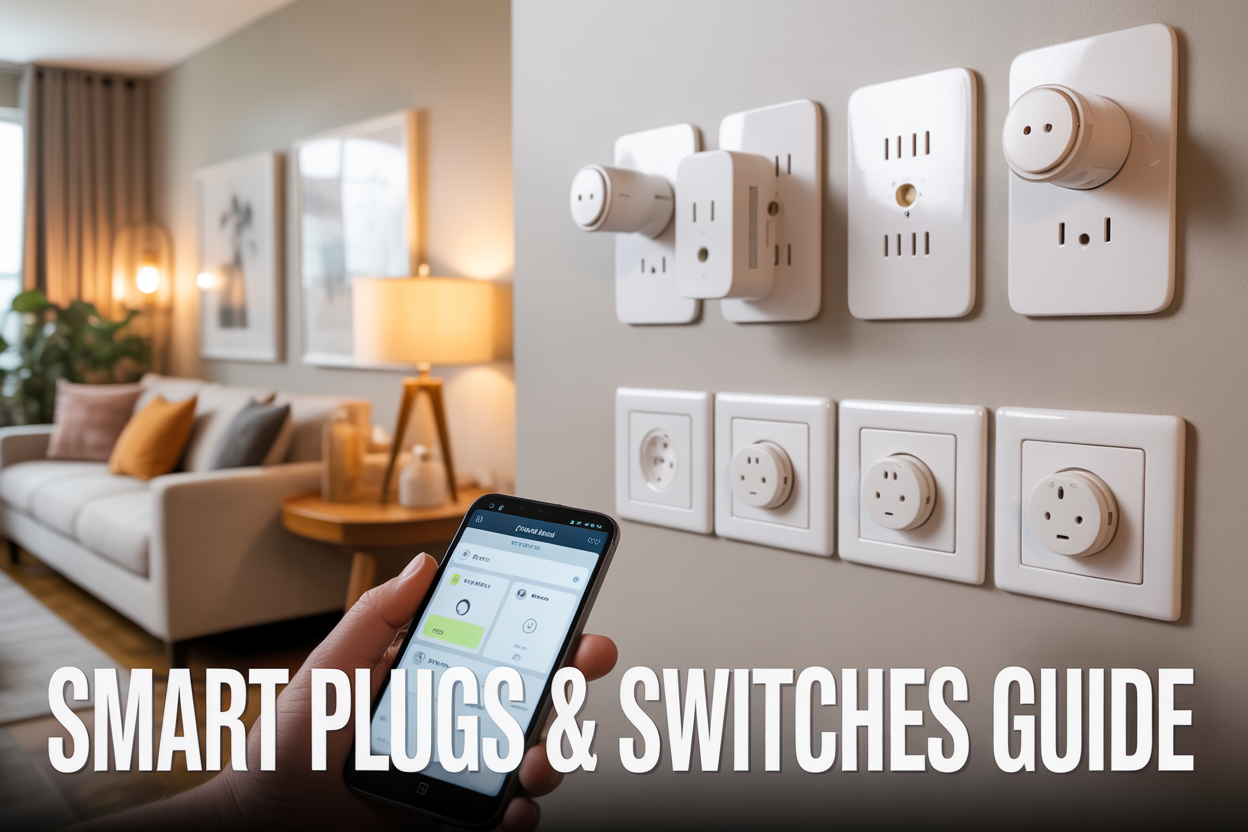
Smart plugs and switches are the easiest way to turn your regular home into an automated one. Perfect for homeowners, renters, and tech enthusiasts who want to control lights, appliances, and electronics remotely without rewiring their entire house.
These devices let you schedule your coffee maker to start brewing before you wake up, turn off forgotten lights from anywhere, and cut energy costs by eliminating standby power drain. The best smart plugs & switches for automation work with your existing outlets and light switches, making home automation accessible to everyone.
We'll break down top smart plug options that fit any budget, from basic models under $15 to feature-packed versions with energy monitoring. You'll also discover leading smart switch solutions that give you complete lighting control, plus essential compatibility tips to make sure everything works smoothly with your smartphone and voice assistants like Alexa or Google Assistant.
Understanding Smart Home Automation Basics

Key Benefits of Automated Lighting and Appliance Control
Smart home automation delivers tangible benefits that extend far beyond convenience. Energy savings top the list, with automated systems reducing electricity consumption by up to 23% through intelligent scheduling and usage monitoring. Your lights turn off automatically when rooms are empty, and appliances run during off-peak hours when energy rates drop.
Security gets a major boost through automated lighting that creates the illusion of occupancy while you're away. Smart switches can simulate your daily routines, turning lights on and off at realistic intervals to deter potential intruders. Emergency situations become more manageable when you can instantly shut off all connected devices remotely.
The convenience factor transforms daily life in unexpected ways. Imagine arriving home to perfectly lit spaces that adjust to your preferred ambiance, or having your coffee maker start brewing the moment your morning alarm sounds. Voice control integration means you can operate devices hands-free while cooking or carrying groceries.
Smart plugs and switches also provide valuable insights into your energy consumption patterns. Real-time monitoring reveals which appliances consume the most power, helping you make informed decisions about usage and replacements. This data-driven approach to home management leads to more efficient living and lower utility bills over time.
How Smart Plugs and Switches Transform Your Daily Routine
The best smart plugs and switches for automation seamlessly integrate into existing routines while creating new possibilities for efficiency. Morning routines become effortless when your bedroom lights gradually brighten to simulate sunrise, the coffee maker starts brewing, and your phone begins charging automatically.
Evening transformations happen with equal elegance. As sunset approaches, your living room lights dim to warm tones while outdoor security lights activate. Entertainment systems power up for your usual relaxation time, and unnecessary devices shut down to conserve energy.
Work-from-home scenarios benefit tremendously from automated control. Your home office lights adjust throughout the day to reduce eye strain, while background devices like air purifiers and humidifiers maintain optimal conditions without manual intervention. Smart switches can even create distinct "work mode" and "personal time" environments with different lighting schemes and device configurations.
Travel becomes stress-free when automation handles security and maintenance tasks. Your home continues its normal lighting patterns while you're away, while non-essential devices remain powered down to save energy. Remote access means you can check device status or make adjustments from anywhere in the world.
Weekend routines get special treatment too. Smart automation can distinguish between weekday and weekend schedules, allowing for later wake-up times and different lighting preferences. Garden irrigation systems, pool equipment, and outdoor entertainment areas can all follow weekend-specific schedules.
Essential Features That Make Automation Worth the Investment
Scheduling capabilities represent the foundation of effective smart home automation. Look for devices offering multiple schedule options, including daily, weekly, and seasonal variations. Advanced scheduling accommodates complex routines like vacation modes or seasonal adjustments for daylight saving time.
Voice control compatibility with major platforms like Alexa, Google Assistant, and Siri ensures your smart devices integrate with existing ecosystems. This compatibility eliminates the need to learn new apps or commands while providing hands-free convenience throughout your home.
Remote access functionality allows control from anywhere with internet connection. Whether you're at the office or across the globe, you can monitor device status, adjust settings, or respond to unexpected situations. This feature proves invaluable for security purposes and energy management.
Energy monitoring provides detailed consumption data that helps identify wasteful usage patterns. Devices with this capability show real-time power draw, historical usage trends, and cost calculations. This information guides decisions about appliance upgrades and usage modifications.
Geofencing technology creates location-based automation that responds to your presence. Your home can detect when you're approaching and automatically adjust lighting, temperature, and security settings. Similarly, the system recognizes when everyone leaves and switches to away mode.
Timer functions offer simple automation without complex programming. Quick timers work perfectly for temporary needs like holiday decorations or seasonal appliances. Countdown timers prevent devices from running unnecessarily long periods.
Safety features like surge protection and automatic shutoff protect valuable electronics while preventing fire hazards. Quality smart switches include overload protection and manual override options for emergency situations.
Top Smart Plug Recommendations for Every Budget

Premium Smart Plugs with Advanced Monitoring Features
The TP-Link Kasa KP125M stands out as the flagship option for users who want detailed energy monitoring and premium build quality. This smart plug tracks real-time power consumption, historical usage data, and even calculates your monthly electricity costs. The accompanying app provides insights that help identify energy-hungry devices and optimize your home's power consumption patterns.
Eve Energy takes a different approach, focusing on HomeKit integration with Thread support for ultra-reliable connectivity. What sets it apart is the offline functionality – you can control devices even when your internet goes down. The energy monitoring capabilities rival dedicated power meters, showing voltage, current, and power factor measurements.
Emporia Vue Smart Plug deserves mention for its industrial-grade monitoring accuracy. Originally designed for whole-home energy monitoring systems, this plug brings commercial-level precision to individual device tracking. The data granularity is exceptional, updating every second rather than the typical minute intervals found in consumer plugs.
Best Mid-Range Options Balancing Price and Performance
Amazon Smart Plug works seamlessly with Alexa devices and offers the perfect entry point into voice-controlled automation. While it lacks energy monitoring, the rock-solid reliability and simple setup process make it ideal for beginners. The compact design doesn't block adjacent outlets, and the scheduling features handle most automation needs.
Wyze Plug strikes an impressive balance with basic energy monitoring at a fraction of premium prices. The app interface is intuitive, vacation mode adds security by randomizing device schedules, and the away mode can simulate occupancy patterns. Group control lets you manage multiple plugs simultaneously with a single command.
Sengled Smart Plug integrates beautifully with existing Sengled lighting ecosystems. The dual-purpose design includes a built-in nightlight, and the scheduling system coordinates perfectly with smart bulbs for comprehensive lighting automation. Remote access works reliably, and the energy monitoring provides enough detail for most users.
Budget-Friendly Picks That Deliver Core Functionality
Gosund Smart Plug proves that basic automation doesn't require breaking the bank. Despite the low price, it includes scheduling, timer functions, and smartphone control. The setup process takes under two minutes, and the app supports multiple user access for families. Voice control works with Alexa and Google Assistant without any subscription fees.
Treatlife Smart Plug offers surprising features for its price point, including sunrise/sunset automation that adjusts schedules based on your location. The sharing feature lets family members control devices, and the device timer prevents electronics from staying on indefinitely. Build quality feels solid despite the budget pricing.
Smart Life compatible plugs provide excellent value through wide ecosystem support. These generic-branded plugs work with dozens of smart home platforms and offer identical functionality to name-brand alternatives. The standardized Smart Life app means you can mix and match different manufacturers while maintaining unified control.
Outdoor Smart Plugs for Weather-Resistant Automation
Kasa Outdoor Smart Plug KP400 features dual outlets with independent control, letting you manage holiday lights and garden fountains separately. The weatherproof rating handles extreme temperatures from -4°F to 122°F, and the robust housing stands up to direct rainfall and UV exposure. Built-in scheduling makes seasonal decoration management effortless.
Enbrighten Z-Wave Outdoor Smart Plug integrates perfectly with existing Z-Wave networks for extended range and mesh reliability. The two grounded outlets include individual manual override switches, crucial for troubleshooting outdoor installations. The metal housing provides superior durability compared to plastic alternatives.
DEWENWILS Outdoor Smart Plug combines affordability with genuine weather resistance. The three-outlet design maximizes connectivity options, and the 6-foot heavy-duty cord reaches distant power sources easily. Timer functions work even during internet outages, ensuring critical outdoor equipment maintains proper schedules regardless of connectivity issues.
Leading Smart Switch Solutions for Comprehensive Control

Wi-Fi Enabled Wall Switches for Seamless Integration
Modern Wi-Fi wall switches transform ordinary lighting into intelligent, connected systems that respond to your lifestyle. These switches connect directly to your home network, eliminating the need for additional hubs or bridges. Brands like Kasa Smart and Treatlife offer switches that snap into standard electrical boxes and work with existing wiring configurations.
The beauty of Wi-Fi switches lies in their universal compatibility with smart home ecosystems. Once installed, they communicate with your router to provide remote access through dedicated mobile apps. You can turn lights on before arriving home, create custom schedules that simulate occupancy during vacations, or group multiple switches for synchronized control throughout your house.
Installation typically requires basic electrical knowledge since you're replacing traditional wall switches. Most models include detailed instructions and support neutral wire connections for optimal performance. The switches often feature physical buttons that maintain functionality even if your internet connection drops, ensuring reliable operation.
Popular models include:
-
Kasa Smart Switch (HS220) with scheduling capabilities
-
Treatlife Smart Switch supporting 3-way configurations
-
Gosund WiFi Switch offering budget-friendly automation
These switches integrate with popular smart home platforms, allowing you to create complex automation routines that respond to time, location, or sensor inputs.
Voice-Controlled Switches Compatible with Major Assistants
Voice control elevates smart switches from convenient to truly hands-free operation. Today's best smart switches work seamlessly with Amazon Alexa, Google Assistant, and Apple HomeKit, responding to natural voice commands without requiring specific trigger phrases.
The magic happens when you can simply say "turn off the kitchen lights" or "dim the bedroom to 30%" and watch your home respond instantly. This compatibility extends beyond basic on/off commands to include dimming levels, scene activation, and multi-room control. For families with mobility challenges or busy lifestyles, voice control becomes an essential accessibility feature.
Switches like the Lutron Caseta and TP-Link Kasa series excel in voice recognition accuracy. They process commands quickly, reducing the frustrating delays that plague some connected devices. The integration runs deeper than simple voice responses – these switches participate in complex routines where a single command like "goodnight" can turn off all lights, adjust thermostats, and arm security systems.
Setup involves linking your switch's app with your preferred voice assistant, typically through the assistant's smart home section. Once connected, the switches automatically appear in your voice control roster, ready for immediate use.
Voice compatibility extends to third-party automation platforms like IFTTT, creating endless possibilities for custom voice triggers that activate multiple devices simultaneously.
Dimmer Switches That Optimize Energy Usage and Ambiance
Smart dimmer switches represent the perfect marriage of ambiance control and energy efficiency. Unlike traditional dimmers that simply reduce voltage, smart dimmers use advanced circuits that maintain LED compatibility while providing precise brightness control through smartphone apps or voice commands.
The energy savings prove substantial over time. Dimming lights to 50% brightness typically reduces energy consumption by approximately 40%, while 25% brightness can slash usage by 60%. Smart dimmers track this consumption, providing detailed reports through their companion apps so you can monitor savings in real-time.
Modern smart dimmers accommodate various bulb types, from traditional incandescents to sensitive LEDs and CFLs. High-quality models like the Lutron Caseta and GE Cync series include compatibility charts and automatic load detection to prevent flickering or buzzing that plagued earlier dimmer technology.
The ambiance factor cannot be overstated. Smart dimmers create infinite lighting scenarios – bright task lighting for cooking, warm ambient lighting for dinner, or gentle nighttime illumination for safe navigation. Many models offer preset scenes that adjust multiple lights simultaneously, transforming your space with a single tap.
Advanced features include:
-
Circadian rhythm lighting that adjusts color temperature throughout the day
-
Fade-in/fade-out timing for gentle transitions
-
Away mode randomization for security
-
Integration with motion sensors for automatic activation
Installation mirrors standard dimmer switch replacement, though smart versions require neutral wires for power and communication functions.
Compatibility and Integration Considerations

Ensuring Seamless Connection with Popular Smart Home Platforms
Getting your smart plugs and switches to work with your existing smart home setup shouldn't feel like solving a puzzle. The best smart plugs and switches for automation support multiple platforms right out of the box, including Amazon Alexa, Google Assistant, Apple HomeKit, and Samsung SmartThings.
Before purchasing any device, check which platforms it supports. Some budget-friendly options only work with one or two ecosystems, while premium models often support four or more. Pay attention to certification logos on packaging - devices with official "Works with Alexa" or "Made for HomeKit" certifications tend to have more reliable connections.
Matter compatibility has become increasingly important for future-proofing your investment. This universal standard allows devices to communicate across different platforms simultaneously, so your smart plug can work with both Alexa and Google Assistant without switching apps.
Native integrations typically offer faster response times and more features than third-party workarounds. For example, a switch with native HomeKit support will appear instantly in the Apple Home app with full functionality, while one requiring a bridge might have limited features or slower performance.
Setup Requirements for Different Wi-Fi Network Configurations
Your network setup significantly impacts how well smart devices perform. Most smart plugs and switches require a 2.4GHz Wi-Fi connection, though newer models increasingly support dual-band networks that automatically switch between 2.4GHz and 5GHz as needed.
Mesh networks like Eero, Nest Wifi, or Orbi generally provide the most reliable experience for smart home devices. The seamless handoff between nodes means your devices maintain strong connections throughout your home without manual intervention.
For homes with enterprise-grade routers or complex network configurations, look for devices that support WPA3 security and can handle VLAN setups. Some advanced users prefer to isolate smart home devices on separate network segments for security reasons.
Guest networks can complicate setup since many smart devices need to communicate with your phone during initial configuration. Temporarily connecting your phone to your main network during setup often resolves connection issues.
Range matters more than many people realize. Smart plugs installed in basements, garages, or far from routers might experience connectivity problems. Wi-Fi extenders or mesh points can solve these issues, but placement is critical for optimal performance.
Mobile App Features That Enhance User Experience
The companion app can make or break your smart home experience. Well-designed apps offer intuitive scheduling interfaces where you can set up complex automation routines without technical knowledge. Look for apps that provide both simple and advanced scheduling options.
Real-time energy monitoring has become a standout feature in many apps, showing exactly how much power each connected device consumes. This data helps identify energy-hungry appliances and optimize usage patterns to reduce electricity bills.
Group control functionality allows you to manage multiple devices simultaneously. Creating groups like "Living Room Lamps" or "Bedroom Outlets" makes controlling several devices as simple as tapping one button.
Scene creation takes automation to the next level by combining multiple devices into custom scenarios. A "Movie Night" scene might dim smart switches, turn on specific lamps, and activate entertainment center equipment with a single command.
Push notifications keep you informed about device status changes, power outages, or scheduled events. Quality apps let you customize notification preferences to avoid information overload while keeping you updated on important events.
Voice control integration within apps often provides more granular control than speaking directly to smart speakers. You can test voice commands, adjust sensitivity settings, and create custom phrases for complex actions.
Remote access capabilities vary significantly between manufacturers. Premium apps offer full functionality from anywhere with internet access, while basic versions might limit remote control to simple on/off commands.
Installation and Setup Made Simple

DIY Installation Tips for Smart Plugs and Basic Switches
Smart plugs are the easiest way to jump into home automation. Simply plug them into any standard outlet, download the manufacturer's app, and follow the setup wizard. Most smart plugs connect to your Wi-Fi network within minutes. Start by placing the plug close to your router during initial setup for the strongest signal.
For basic smart switches, turn off the power at the circuit breaker before touching any wires. Most standard light switches can be replaced with smart versions using the existing wiring. You'll typically find three wires: hot (black), neutral (white), and ground (green or bare copper). Smart switches need all three connections, while traditional switches often skip the neutral wire. If your switch box lacks a neutral wire, consider neutral-free smart switches or smart plugs with lamp modules instead.
Always test connections with a non-contact voltage tester before handling wires. Take photos of your original wiring setup before disconnecting anything. Match wire colors carefully, secure connections with wire nuts, and ensure no bare copper shows outside the connections.
When to Consider Professional Installation Services
Call an electrician if you're dealing with three-way switches, dimmer circuits, or older homes with unusual wiring configurations. Multi-location switches that control the same light from different spots require specific smart switch models and precise wiring knowledge.
Professional installation becomes necessary when adding new circuits, upgrading electrical panels, or installing hardwired smart devices like ceiling fans or built-in switches. Licensed electricians can also install smart switches in boxes without neutral wires by running new cables.
Commercial properties, rental units, or homes with aluminum wiring should always use professional services. The cost of hiring an electrician often pays off through proper installation, warranty protection, and avoiding potential fire hazards from incorrect wiring.
Troubleshooting Common Connection Issues
Wi-Fi connection problems top the list of smart device frustrations. If your device won't connect, check that you're using a 2.4GHz network instead of 5GHz. Many smart plugs and switches only work on the older, slower frequency band. Temporarily disable 5GHz on your router or create a separate 2.4GHz network name for smart devices.
Password issues cause frequent setup failures. Double-check your Wi-Fi password for typos, and avoid special characters that some devices can't handle. Router isolation modes can block smart devices from communicating with your phone during setup. Temporarily disable guest network isolation or AP isolation while configuring new devices.
Device firmware might need updates before connecting properly. Check the manufacturer's app for firmware updates, or try resetting the device to factory settings if it previously worked but stopped responding. Hold reset buttons for 10-15 seconds while plugged in.
Distance from the router affects connection stability. Smart devices need consistent signal strength to respond reliably. If devices disconnect frequently, consider Wi-Fi extenders or mesh network systems to eliminate dead zones.
Optimizing Network Performance for Reliable Automation
Network congestion slows down smart device responses and can cause automation delays. Create a dedicated IoT network segment or use Quality of Service (QoS) settings to prioritize smart home traffic. Many routers allow bandwidth allocation for specific device types.
Mesh networks provide better coverage than single routers for larger homes with multiple smart devices. Systems like Eero, Nest Wifi, or Orbi create seamless coverage throughout your space. Position mesh nodes strategically to cover areas with the most smart devices.
Regular network maintenance keeps everything running smoothly. Restart your router monthly, update firmware when available, and monitor bandwidth usage through your router's admin panel. Too many devices on one network can cause bottlenecks, especially with older routers that handle fewer simultaneous connections.
Consider upgrading internet speed if you have numerous smart devices, security cameras, or streaming services competing for bandwidth. Smart home automation works best with consistent, reliable internet connectivity rather than just high speeds.
Maximizing Energy Savings and Efficiency

Smart Scheduling Features That Reduce Electricity Bills
Automated scheduling transforms how your devices consume power throughout the day. The best smart plugs and switches for automation come equipped with advanced timing features that work around your routine and electricity pricing patterns. You can program your coffee maker to start brewing five minutes before your alarm, turn off entertainment systems during peak rate hours, and automatically shut down standby devices overnight.
Most quality smart plugs offer sunrise/sunset scheduling, which adjusts based on your geographic location. This feature works particularly well for outdoor lighting and seasonal appliances. Random scheduling options add security benefits by making your home appear occupied while you're away, cycling lights and electronics on unpredictable patterns.
Weekly scheduling templates let you create different power profiles for weekdays versus weekends. Your home office equipment can power down at 6 PM on weekdays but stay available longer on weekends. Some advanced models learn your patterns over time, suggesting optimizations based on your actual usage data.
Usage Monitoring Tools for Identifying Energy-Hungry Devices
Real-time energy monitoring reveals which appliances secretly drain your budget. Smart plugs with built-in power meters track watts, voltage, and cumulative usage down to the penny. This data appears in companion apps as easy-to-read charts and graphs, showing daily, weekly, and monthly consumption patterns.
The monitoring features help identify phantom loads – devices that draw power even when turned off. Gaming consoles, cable boxes, and older electronics often consume 5-20 watts continuously. Smart plugs can completely cut power to these devices when not in use, eliminating waste without affecting functionality.
Historical data tracking shows seasonal patterns and helps predict monthly bills. You might discover your space heater uses more electricity than your refrigerator, or that leaving your computer on overnight costs $15 monthly. Many apps send push notifications when devices exceed preset usage thresholds, alerting you to potential problems before they impact your bill.
Integration with Time-of-Use Electricity Rates
Time-of-use (TOU) electricity pricing creates opportunities for significant savings when paired with smart automation. Many utility companies charge different rates throughout the day, with peak hours costing 2-3 times more than off-peak periods. Smart switches can automatically shift your high-consumption activities to cheaper time slots.
Electric vehicle charging represents the biggest opportunity for TOU savings. Smart plugs can delay charging until rates drop after midnight, potentially saving hundreds annually. Pool pumps, water heaters, and dishwashers can similarly shift their operation to low-cost periods without affecting your daily routine.
Advanced smart home systems integrate directly with utility APIs, automatically adjusting schedules when rate structures change. Some models include battery backup features, storing cheap off-peak electricity for use during expensive peak hours. This creates a personal micro-grid that maximizes savings while maintaining comfort and convenience.

Smart plugs and switches have transformed how we interact with our homes, making everyday tasks easier while cutting down on energy costs. From budget-friendly options that let you control lamps remotely to advanced switches that manage entire lighting systems, these devices offer something for everyone. The key is finding products that work seamlessly with your existing smart home setup and choosing brands known for reliability.
Getting started doesn't have to be overwhelming. Most modern smart plugs and switches install quickly and connect to your home network within minutes. Focus on compatibility with your preferred voice assistant or smart home platform first, then consider features like scheduling, energy monitoring, and remote access. With the right setup, you'll soon wonder how you ever managed without the convenience and control these simple devices provide.



0 Comments