10 Smart Devices You Can Control with Your Phone
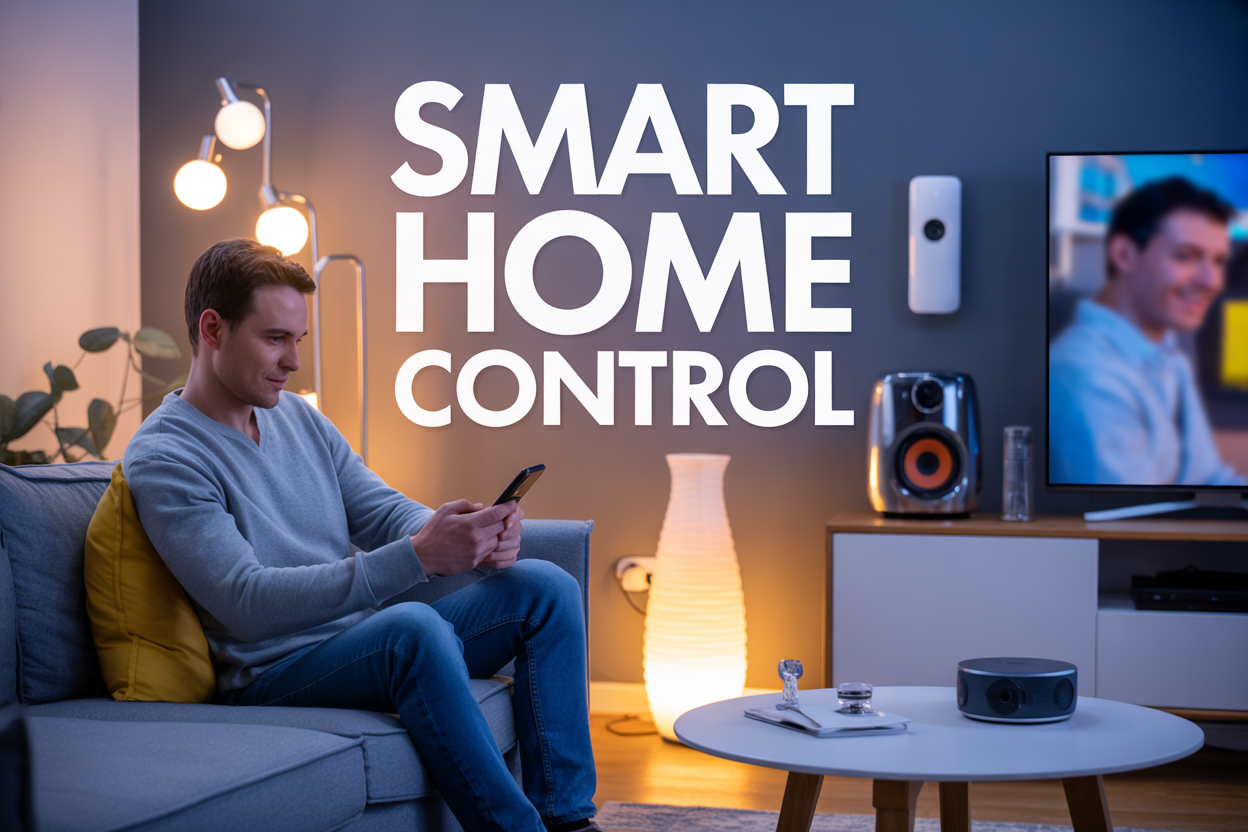
Your smartphone has become the ultimate remote control for modern homes. Smart devices you can control with your phone make daily tasks easier, boost home security, and help you save money on energy bills. These connected gadgets are perfect for busy homeowners, tech enthusiasts, and anyone wanting to automate their living spaces.
This guide covers the top 10 phone-controlled smart devices that deliver real value. You'll discover how smart lighting and thermostats can cut your energy costs while creating the perfect atmosphere. We'll also explore security solutions like smart cameras and door locks that let you monitor and protect your home from anywhere. Finally, you'll learn about convenience-focused devices like smart speakers and automated vacuum cleaners that handle routine tasks so you don't have to.
Smart Lighting Systems Transform Your Home Ambiance
Adjust brightness and color temperature from anywhere
Modern smart lighting systems give you complete control over every aspect of your home's illumination through your smartphone app. With brands like Philips Hue, LIFX, and TP-Link Kasa leading the market, you can dim lights, change colors, and adjust white temperature from anywhere in the world. The convenience becomes apparent when you're lying in bed and want to turn off the living room lights, or when you're at work and realize you left every light on.
Color temperature adjustment is particularly powerful for your daily routine. Warm, amber tones (2700K-3000K) create a cozy atmosphere perfect for evening relaxation, while cool, bright whites (5000K-6500K) boost alertness during work hours. Many smart bulbs offer millions of color options, allowing you to transform any room with vibrant blues, calming greens, or energizing reds.
The smartphone integration connects to your home WiFi network, enabling instant control through intuitive apps. Voice control compatibility with Alexa, Google Assistant, or Siri adds another layer of convenience, though the phone app remains the primary control hub for detailed adjustments.
Create custom lighting schedules for energy savings
Automated lighting schedules represent one of the smartest features of connected bulb systems. Your phone app becomes a powerful energy management tool, allowing you to program lights to turn on and off at specific times throughout the week. This automation eliminates the common problem of forgotten lights burning electricity unnecessarily.
Daily routines become effortless with scheduled programming. Set your bedroom lights to gradually brighten at 6:30 AM, simulating a natural sunrise to help you wake up more naturally. Program outdoor security lights to activate at sunset and deactivate at sunrise, ensuring your property stays well-lit during dark hours without manual intervention.
Vacation mode scheduling enhances home security while you're away. Random lighting patterns make it appear someone's home, deterring potential intruders. The scheduling can vary daily, with living room lights turning on at 7 PM one day and 8:15 PM the next, creating realistic occupancy patterns.
Energy savings accumulate significantly over time. LED smart bulbs already consume 75% less energy than traditional incandescent bulbs, and scheduling ensures they only operate when needed. Many users report 20-30% additional energy savings through strategic scheduling alone.
Set mood lighting for different activities and occasions
Smart lighting systems excel at creating the perfect atmosphere for any situation with just a few taps on your phone. Pre-programmed scenes transform your space instantly, whether you're hosting a dinner party, watching a movie, or working from home. Popular lighting apps include scenes like "Movie Night" (dim, warm lighting), "Dinner Party" (soft, inviting ambiance), and "Focus Mode" (bright, cool white for productivity).
Custom scene creation lets you save your perfect lighting combinations for different rooms and activities. Create a "Morning Coffee" scene with gentle warm light in the kitchen, a "Reading Nook" setup with focused task lighting, or a "Romantic Evening" atmosphere with soft pink and purple hues throughout the living areas.
Entertainment synchronization adds dynamic flair to special occasions. Some advanced systems sync with your music, creating pulsing light shows that match the beat. Gaming integration makes lights flash and change colors based on in-game events, creating an immersive experience that extends beyond your screen.
Seasonal and holiday programming brings festive spirit to your home. Halloween scenes with orange and purple colors, Christmas combinations of red and green, or Fourth of July patriotic themes can be saved and reused annually. The phone app stores unlimited custom scenes, making it easy to switch between different moods throughout the year.
Smart Thermostats Optimize Your Energy Bills
Control Temperature Remotely for Maximum Comfort
Smart thermostats give you complete control over your home's climate from anywhere in the world. Whether you're stuck in traffic on a hot summer day or returning from a vacation, you can adjust your home's temperature with just a few taps on your smartphone. This remote capability means you'll never walk into an uncomfortable house again.
The convenience extends beyond basic temperature adjustments. You can create custom schedules that align with your daily routine, ensuring your home is always at the perfect temperature when you need it. Most smart thermostats also send alerts when filters need changing or when unusual temperature fluctuations occur, helping you maintain your HVAC system proactively.
Learn Your Preferences and Adjust Automatically
Modern smart thermostats use advanced algorithms to study your behavior patterns and preferences. After a few weeks of use, these devices begin predicting your needs and making automatic adjustments without any input from you. They track when you typically wake up, leave for work, return home, and go to bed.
The learning capability goes beyond simple scheduling. These systems recognize when you manually override settings and incorporate those preferences into future decisions. For example, if you consistently lower the temperature on sunny afternoons, the thermostat will start doing this automatically. This adaptive intelligence means your comfort improves over time while reducing the need for constant manual adjustments.
Monitor Energy Usage and Reduce Heating Costs
Smart thermostats provide detailed insights into your energy consumption patterns through comprehensive reporting features in their companion apps. You can view daily, weekly, and monthly usage data, helping you identify peak consumption periods and opportunities for savings.
Many models offer personalized energy-saving tips based on your specific usage patterns. They might suggest optimal temperature settings for different seasons or recommend adjustments during peak energy rate hours. Some thermostats even participate in utility demand response programs, automatically adjusting temperatures during high-demand periods in exchange for bill credits.
The potential savings are significant. Most users see energy bill reductions of 10-15% within the first year of installation. The devices pay for themselves relatively quickly through these energy savings, making them a smart financial investment beyond the convenience factor.
Set Different Temperatures for Various Rooms
Advanced smart thermostat systems support zoning capabilities, allowing you to set different temperatures in various areas of your home. This feature requires compatible HVAC equipment and additional sensors, but the comfort and efficiency benefits are substantial.
Room sensors detect occupancy and temperature variations throughout your home, automatically adjusting airflow to maintain consistent comfort levels. You can prioritize certain rooms during specific times of day – keeping bedrooms cooler at night while maintaining comfortable temperatures in living areas during evening hours.
This zoned approach eliminates hot and cold spots in your home while reducing energy waste in unoccupied areas. You'll no longer need to heat or cool your entire house to make one room comfortable, resulting in both improved comfort and lower energy bills.
Smart Security Cameras Keep Your Property Safe
Monitor your home in real-time from anywhere
Smart security cameras give you eyes on your property 24/7, no matter where you are in the world. With your smartphone app, you can instantly view live footage from multiple camera angles around your home. Whether you're at work checking on a delivery, on vacation monitoring your pets, or traveling for business wanting peace of mind, real-time streaming brings your home right to your fingertips.
Modern cameras offer crystal-clear HD and 4K resolution, so you can zoom in to see fine details like license plates or faces. Night vision technology means your surveillance doesn't stop when the sun goes down - infrared sensors capture clear footage even in complete darkness. Two-way audio features let you communicate through the camera, perfect for greeting visitors, deterring intruders, or checking in on family members.
Receive instant alerts when motion is detected
Smart cameras don't just record passively - they actively watch for unusual activity and notify you immediately. Advanced motion detection algorithms can distinguish between different types of movement, reducing false alarms from swaying trees or passing cars while still catching genuine security concerns.
You can customize alert zones to focus on specific areas like your front door, driveway, or backyard. Some cameras even use AI to recognize familiar faces, sending different notifications for family members versus unknown visitors. Push notifications arrive on your phone within seconds, often including a snapshot of what triggered the alert, so you can quickly assess the situation and respond appropriately.
Record and store footage for future reference
Beyond live monitoring, smart security cameras automatically save footage for later review. Cloud storage options typically offer several days to months of recording history, while local storage through SD cards or network-attached drives gives you complete control over your data. Many systems use smart recording that only saves footage when motion is detected, maximizing storage space.
Video playback features make finding specific events simple - you can search by date, time, or even motion events. This recorded evidence proves invaluable for insurance claims, police reports, or simply figuring out what happened while you were away. Some cameras create daily or weekly highlight reels, condensing hours of footage into brief summaries of the day's activity.
Smart Door Locks Enhance Home Security
Lock and unlock doors remotely for convenience
Smart door locks give you complete control over your home's entry points from anywhere in the world. Whether you're at the office, on vacation, or just lying in bed, a simple tap on your smartphone app lets you secure or open your doors instantly. This remote capability proves especially valuable when you're running late and can't remember if you locked the front door, or when a family member gets locked out while you're away. The peace of mind that comes from being able to check and control your door locks remotely eliminates those nagging worries about home security that can distract you throughout the day.
Grant temporary access to guests and service providers
Creating temporary access codes through your phone app revolutionizes how you manage visitors to your home. Instead of hiding spare keys under flower pots or coordinating complex handoffs, you can generate unique digital keys for anyone who needs entry. Set up time-limited codes for housekeepers, dog walkers, or repair technicians that automatically expire after their scheduled visit. When friends or family visit, send them a temporary code that works only during their stay. This system eliminates the security risks associated with physical key copies while giving you complete control over who can enter your home and when.
Track who enters and exits your home
Modern smart locks maintain detailed logs of every entry and exit, creating a comprehensive record accessible through your smartphone. These activity notifications appear in real-time, so you know exactly when your kids arrive home from school, when your spouse leaves for work, or if someone accesses your home unexpectedly. The timestamp data proves invaluable for parents monitoring teenage children's whereabouts or business owners tracking employee access to office spaces. Many smart locks even capture photos of people using the lock, adding an extra layer of security documentation that traditional locks simply cannot provide.
Eliminate the need for physical keys
Digital access transforms the traditional key-carrying experience by storing all your home entry credentials on your phone. No more fumbling through pockets or purses searching for the right key, and no more worrying about lost or stolen keys compromising your home security. Your smartphone becomes your universal key, often using proximity sensors that automatically unlock doors as you approach. This keyless system particularly benefits people with mobility challenges or those frequently carrying groceries, packages, or children. When physical keys are no longer needed, you eliminate the costs and security concerns of key duplication, rekeying locks, and managing multiple copies for different family members.
Smart Speakers Become Your Personal Assistant
Play Music and Control Volume with Voice Commands
Smart speakers have completely changed how we interact with our music collections. With simple voice commands like "Play my workout playlist" or "Skip this song," you can control your entire audio experience without touching your phone. These devices connect to popular streaming services including Spotify, Apple Music, Amazon Music, and Pandora, giving you access to millions of songs instantly.
The voice recognition technology has become incredibly sophisticated, understanding natural language patterns and even recognizing different family members' voices. You can ask your smart speaker to play specific genres, artists, or even songs that match your current mood. Volume control is equally intuitive – just say "Turn it up" or "Set volume to 5" and the speaker responds immediately.
Many smart speakers also learn your preferences over time, suggesting new music based on your listening habits. They can create custom playlists, remember your favorite radio stations, and even sync across multiple devices throughout your home for a seamless audio experience.
Get Weather Updates and News Briefings Instantly
Your smart speaker becomes a personal news anchor, delivering customized information exactly when you need it. Morning routines become more efficient when you can ask for weather forecasts while getting dressed or brewing coffee. The device provides detailed information including current temperature, hourly forecasts, and severe weather alerts for your specific location.
News briefings can be tailored to your interests, pulling from trusted sources like NPR, BBC, CNN, or local news stations. You can request updates on specific topics like sports scores, stock market performance, or breaking news. Many speakers offer personalized daily briefings that combine weather, traffic conditions, calendar appointments, and news headlines into one convenient summary.
The real-time nature of these updates means you're always working with current information. Traffic reports help you choose the best route to work, while weather alerts can influence your clothing choices or outdoor plans. This instant access to information transforms your smart speaker into an essential tool for daily planning.
Control Other Smart Devices Through Voice Integration
Smart speakers excel as central hubs for your entire smart home ecosystem. They can connect to hundreds of compatible devices, from light bulbs and thermostats to security cameras and door locks. Voice commands like "Turn off all the lights" or "Set the temperature to 72 degrees" eliminate the need to juggle multiple apps on your phone.
The integration capabilities are impressive, allowing you to create complex automation routines. You might say "Good morning" and have your speaker gradually brighten the lights, start your coffee maker, and read your daily schedule. Evening routines can lock doors, lower blinds, and activate security systems with a single voice command.
Cross-device communication means your smart speaker can display information on compatible smart displays, send commands to robot vacuums, or even start your car's remote starter. This level of integration transforms your voice into a powerful tool for controlling your entire living environment, making your home more responsive to your daily needs and preferences.
Smart TVs and Entertainment Systems Streamline Your Viewing
Switch channels and adjust volume without a remote
Modern smart TVs have completely changed the way we interact with our entertainment systems. Your smartphone becomes the ultimate remote control, offering features that traditional remotes simply can't match. Most major TV brands like Samsung, LG, Sony, and TCL provide dedicated mobile apps that connect to your TV via Wi-Fi or Bluetooth.
These apps give you full control over channel switching, volume adjustment, and input selection right from your phone's touchscreen. The interface is often more intuitive than physical remotes, with large buttons and clear labels. You can also use voice commands through your phone to change channels or adjust settings, making it perfect for those moments when you can't find the remote buried in couch cushions.
Many smart TV apps include additional features like a virtual keyboard for easier text input when searching for content or logging into streaming services. Some even offer gesture controls, allowing you to swipe and tap to navigate menus more naturally than traditional button pressing.
Stream content directly from your phone to the screen
Screen mirroring and casting have become standard features across most smart TV platforms. Whether you're using AirPlay for Apple devices, Chromecast for Android phones, or built-in casting features, streaming content from your phone to your TV screen is remarkably simple.
You can share photos and videos from your camera roll, display presentations for work or family gatherings, or mirror your entire phone screen for gaming or app demonstrations. Popular streaming apps like Netflix, YouTube, Hulu, and Disney+ include built-in casting buttons that automatically detect compatible TVs on your network.
The quality of streamed content often matches or exceeds traditional cable connections, especially when using 4K-capable devices over strong Wi-Fi networks. Gaming enthusiasts particularly appreciate the ability to play mobile games on larger screens, while families enjoy sharing vacation photos and videos without crowding around a small phone display.
Schedule recordings and manage your viewing queue
Smart TVs connected to digital video recorders or streaming services with cloud DVR functionality can be managed entirely through mobile apps. You can browse TV schedules, set recordings for future shows, and manage your recorded content library from anywhere.
Many streaming platforms allow you to create watchlists and viewing queues directly from your phone, which then sync across all your devices. This means you can add interesting movies or shows to your queue during lunch break at work, and they'll be ready to watch when you get home.
Some advanced systems even provide viewing recommendations based on your watching habits and can automatically record entire series or specific genres. You can also set parental controls, manage multiple user profiles, and receive notifications when new episodes of your favorite shows become available.
Smart Kitchen Appliances Revolutionize Cooking
Preheat ovens and monitor cooking progress remotely
Smart ovens have completely changed how we approach meal preparation. You can now preheat your oven from anywhere using your smartphone, ensuring it's ready the moment you walk through the door. Popular models like the June Oven and Samsung smart ranges connect seamlessly to dedicated apps, letting you adjust temperatures, set timers, and even switch between cooking modes without being in the kitchen.
The real magic happens with built-in cameras and sensors that track your food's progress. These devices send real-time updates to your phone, showing you exactly how your roast or casserole is browning. Some models even use artificial intelligence to recognize what you're cooking and automatically adjust settings for optimal results.
Start coffee makers and slow cookers before arriving home
Your morning coffee can be brewing before you even get out of bed. Smart coffee makers like the Hamilton Beach FlexBrew and Keurig K-Supreme Plus connect to your phone, allowing you to schedule brew times, adjust strength settings, and even receive alerts when your coffee is ready.
Smart slow cookers take meal planning to the next level. Brands like Crock-Pot and Instant Pot offer Wi-Fi enabled models that let you start cooking remotely, adjust temperatures throughout the day, and extend warm settings if you're running late. You can literally put ingredients in the slow cooker before work and start the cooking process during your commute home.
Check refrigerator contents and expiration dates
Smart refrigerators have become incredibly sophisticated food management systems. Samsung's Family Hub and LG's InstaView models feature internal cameras that capture images every time you close the door. Through the companion app, you can peek inside your fridge while grocery shopping to see what you already have or what you're running low on.
These refrigerators also track expiration dates and send notifications when items are about to spoil. Some models can even suggest recipes based on your current ingredients, helping reduce food waste while inspiring new meal ideas.
Receive notifications when cooking cycles complete
Smart kitchen appliances excel at keeping you informed throughout the cooking process. Dishwashers, microwaves, and ovens send push notifications to your phone when cycles finish, so you never have to guess when your food is ready or when dishes are clean.
Many smart appliances also provide detailed cooking logs and energy usage reports, helping you optimize your kitchen routines and identify the most efficient cooking methods for your favorite dishes.
Smart Vacuum Cleaners Maintain Clean Floors Automatically
Schedule cleaning sessions when you are away
Smart vacuum cleaners excel at working independently while you're out of the house. Through dedicated mobile apps, you can set up detailed cleaning schedules that run automatically throughout the week. Most models allow you to program different cleaning times for each day, accommodating your unique routine and preferences.
The scheduling feature works particularly well for maintaining consistent cleanliness without disrupting your daily activities. You can set your robot vacuum to start cleaning right after you leave for work, ensuring you return to spotless floors every evening. Many users find that scheduling cleaning sessions three to four times per week keeps their homes consistently tidy without over-cleaning.
Advanced scheduling options let you customize cleaning frequency based on room usage. High-traffic areas like living rooms and kitchens can receive daily attention, while bedrooms and guest rooms might only need cleaning twice weekly. The app typically stores multiple schedule presets, so you can switch between different routines for weekdays, weekends, or special occasions.
Control cleaning patterns and target specific areas
Modern smart vacuums offer precise control over cleaning patterns and zone targeting through smartphone interfaces. Interactive floor maps display your home's layout, allowing you to select specific rooms or areas for immediate cleaning. This targeted approach proves invaluable when dealing with sudden spills or preparing specific areas for guests.
Cleaning pattern options range from systematic grid patterns that ensure complete coverage to spiral patterns ideal for concentrated debris areas. Edge-cleaning modes focus on baseboards and furniture perimeters where dust typically accumulates. Some models feature spot-cleaning functions that intensively clean small areas multiple times.
Virtual boundaries and no-go zones can be drawn directly on the app's map interface. These invisible barriers prevent the vacuum from entering sensitive areas like pet feeding stations, delicate furniture zones, or rooms with scattered toys. The boundary system eliminates the need for physical barriers while providing complete control over cleaning areas.
Monitor battery levels and cleaning progress
Real-time monitoring capabilities transform smartphone apps into comprehensive cleaning dashboards. Battery level indicators show remaining power and estimated cleaning time, helping you plan cleaning sessions effectively. Most smart vacuums automatically return to their charging stations when battery levels drop low, then resume cleaning once recharged.
Cleaning progress updates provide detailed insights into completed areas and remaining tasks. Interactive maps highlight cleaned zones in different colors, showing exactly where the vacuum has worked. This visual feedback helps identify missed spots or areas requiring additional attention.
Maintenance alerts notify you when the dustbin needs emptying, filters require replacement, or brushes need cleaning. These proactive notifications prevent performance degradation and extend the vacuum's lifespan. Historical cleaning data tracks total cleaning time, area coverage, and maintenance schedules, providing valuable insights into your home's cleaning patterns and the device's performance over time.
Smart Irrigation Systems Keep Gardens Healthy
Water plants based on weather conditions and soil moisture
Smart irrigation systems use advanced sensors and weather data to automatically adjust watering schedules based on real-time conditions. These systems connect to local weather services through your smartphone app, pulling information about upcoming rainfall, humidity levels, and temperature forecasts. When rain is expected, the system automatically skips scheduled watering sessions, saving water and preventing overwatering damage to your plants.
Soil moisture sensors embedded throughout your garden measure the actual water content in different zones. These sensors send data directly to your phone, showing you exactly which areas need water and which are adequately hydrated. The system learns your garden's unique characteristics over time, understanding how quickly different soil types dry out and how various plants respond to watering cycles.
Temperature and evapotranspiration data help the system calculate how much water your plants actually need on any given day. Hot, windy days trigger longer watering cycles, while cool, humid conditions result in reduced watering times. This intelligent approach ensures your plants receive optimal hydration without waste.
Create custom watering schedules for different plant types
Your smartphone becomes the control center for creating distinct watering zones throughout your garden. Different plant varieties have vastly different water requirements – succulents need infrequent deep watering, while vegetable gardens require consistent moisture levels. Through the mobile app, you can designate separate zones for lawn areas, flower beds, vegetable gardens, and container plants.
The system allows you to set unique parameters for each zone:
-
Watering frequency: Daily, every other day, weekly, or custom intervals
-
Duration: From minutes to hours depending on plant needs
-
Time of day: Early morning, evening, or multiple sessions
-
Seasonal adjustments: Automatic changes for growing seasons
Native plant zones can be programmed with drought-tolerant schedules, while exotic plants receive more frequent attention. The app stores profiles for common plant types, making setup simple even for gardening beginners. You can also manually override any schedule from anywhere using your phone when special circumstances arise.
Monitor water usage and prevent overwatering
Real-time water monitoring helps you track consumption patterns and identify potential problems before they damage your plants or inflate your water bill. The app displays daily, weekly, and monthly usage statistics, breaking down consumption by zone so you can see exactly where water is going.
Smart leak detection alerts you immediately if water flow continues beyond scheduled times, potentially indicating broken sprinkler heads or damaged pipes. The system can automatically shut off water flow when abnormal usage patterns are detected, preventing costly water waste and property damage.
Overwatering prevention features include soil saturation limits and runoff detection. When sensors indicate soil has reached capacity, the system pauses watering even if the scheduled time hasn't elapsed. This prevents root rot and nutrient leaching while maintaining optimal growing conditions. Historical data helps you refine watering schedules over time, creating increasingly efficient irrigation patterns that promote healthier plant growth while conserving water resources.
Smart Garage Door Openers Provide Convenient Access
Open and close garage doors from anywhere
Smart garage door openers let you control your garage door no matter where you are. Whether you're stuck in traffic and want to open the door before arriving home, or you're already in bed and can't remember if you closed it, your smartphone gives you instant control. Most smart garage door systems work with dedicated apps that connect to your home's WiFi network, creating a reliable connection between your phone and the opener.
The convenience goes beyond just opening and closing. You can check your garage door's status in real-time, seeing whether it's open, closed, or somewhere in between. This feature proves especially valuable when you're traveling or away from home for extended periods. Many systems also integrate with voice assistants, so you can simply ask Alexa or Google to open your garage door hands-free.
Receive alerts when doors are left open
Getting notifications when your garage door stays open too long helps prevent security issues and energy waste. Smart openers can send push notifications to your phone after a set time period - whether that's 10 minutes or an hour, depending on your preferences. This feature catches those moments when you forget to close the door after bringing in groceries or working in the garage.
You can customize alert settings for different scenarios. Some people prefer immediate notifications, while others only want alerts after longer periods. The flexibility lets you balance security awareness with avoiding notification overload.
Grant access to family members and delivery personnel
Managing who can access your garage becomes much easier with smartphone control. You can create temporary access codes for delivery drivers, house sitters, or contractors without handing out physical remotes. Many smart garage systems offer guest access features where you can set time-limited permissions that automatically expire.
Family members can all have the app installed on their phones, eliminating the need for multiple garage door remotes cluttering up your cars. Parents can monitor when teenagers come and go, while adult children can help elderly parents by remotely opening doors when needed. The access logs show exactly when the door was operated and by whom.
Monitor garage security with integrated cameras
Modern smart garage door openers often include built-in cameras or work seamlessly with security camera systems. These cameras give you visual confirmation of what's happening in and around your garage space. You can see if packages were delivered, check if your car is safely inside, or verify that the door actually closed properly.
The camera feeds typically stream directly to your smartphone app, letting you peek into your garage anytime. Some systems offer motion detection that triggers recording when someone approaches the garage, creating a comprehensive security solution that goes far beyond just door control.
Your smartphone has become the ultimate remote control for your entire home. From adjusting the lighting to match your mood to monitoring security cameras while you're away, these ten smart devices work together to create a connected ecosystem that responds to your needs. The convenience of controlling everything from one device means no more searching for multiple remotes or worrying about whether you locked the front door.
Making the switch to smart home technology doesn't have to happen overnight. Start with one or two devices that address your biggest pain points – maybe a smart thermostat to cut down on energy costs or a security camera for peace of mind. As you get comfortable with the technology, you can gradually add more devices to build your perfect smart home setup. The investment in these connected devices pays off through energy savings, increased security, and the simple joy of having your home work exactly the way you want it to.



0 Comments