Best Indoor Smart Cameras for Safety
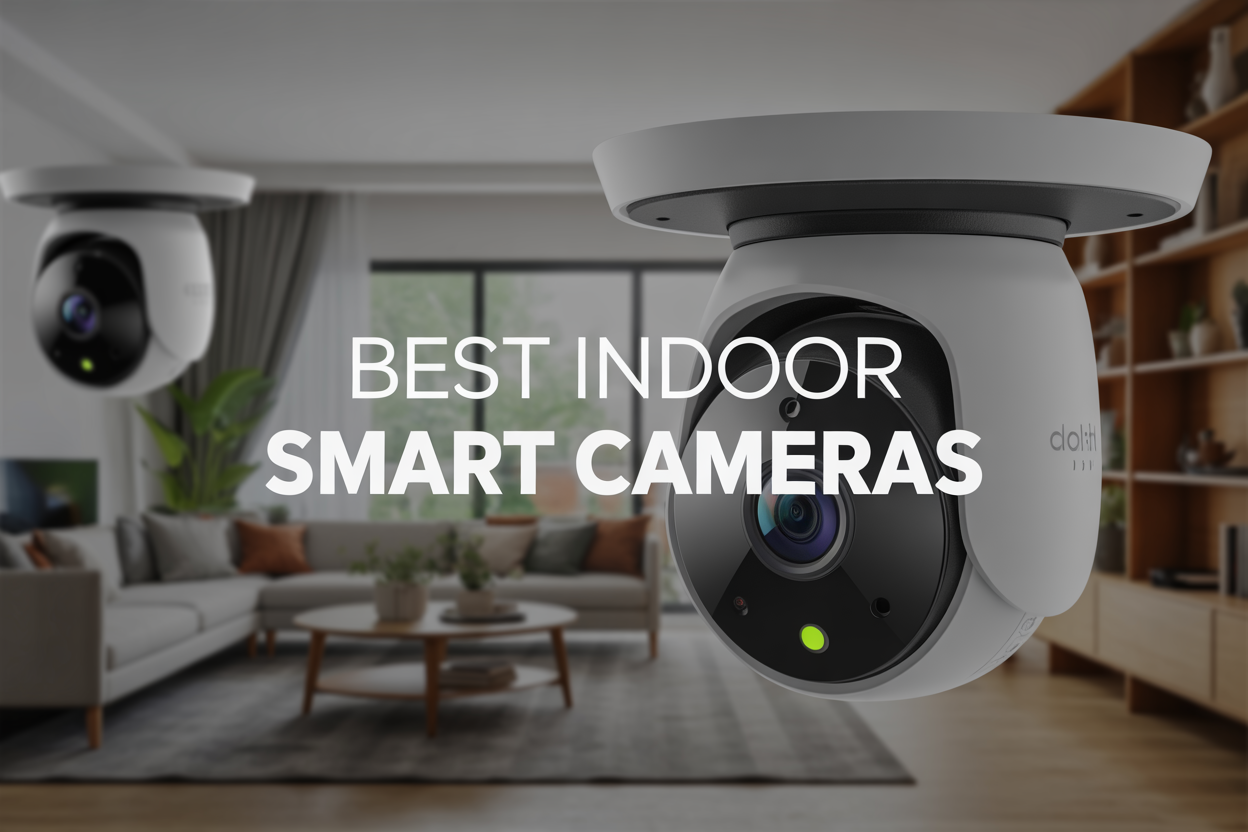
Protecting your home and family has never been easier with today's best indoor smart cameras for safety. These advanced security devices are perfect for homeowners, renters, parents, and anyone who wants peace of mind when they're away from home or sleeping at night.
Smart cameras now pack powerful features that go way beyond basic recording - they can detect motion, recognize faces, send instant alerts to your phone, and even talk to visitors through two-way audio. For busy families and security-conscious individuals, these cameras offer 24/7 monitoring without the high costs of traditional security services.
We'll walk you through the key features that actually make a difference in protecting your home, from night vision capabilities to cloud storage options. You'll also discover the top-rated camera models that consistently deliver reliable performance and clear footage when you need it most. Finally, we'll share smart placement strategies that help you get maximum coverage of your space without obvious blind spots.
By the end of this guide, you'll know exactly which indoor smart camera fits your budget, security needs, and home setup.
Key Features That Maximize Home Security Protection
High-Definition Video Quality for Crystal Clear Footage
Modern smart cameras deliver exceptional video quality that makes all the difference when identifying faces, license plates, or specific details during security incidents. Look for cameras offering at least 1080p resolution, though 4K models provide superior clarity for larger rooms or outdoor areas.
The best cameras combine high resolution with advanced image processing features like HDR (High Dynamic Range) and wide dynamic range technology. These features balance lighting conditions automatically, preventing washed-out footage in bright areas while maintaining detail in shadows. Digital zoom capabilities remain crisp even when magnifying specific areas of recorded footage.
Frame rate matters just as much as resolution. Cameras recording at 30 frames per second capture smooth motion without blur, making it easier to track movement and identify individuals. Some premium models offer variable frame rates that adjust based on motion detection, conserving storage while ensuring critical moments are captured clearly.
Night Vision Capabilities for 24/7 Monitoring
Effective night vision transforms your security system from daylight-only protection to round-the-clock surveillance. Infrared LEDs illuminate areas up to 30 feet in complete darkness, while more advanced models extend this range to 100+ feet for larger properties.
Color night vision represents the latest advancement, using ambient light and enhanced sensors to maintain natural colors even in low-light conditions. This technology proves invaluable for identifying clothing colors, vehicle details, and distinguishing between different individuals during nighttime incidents.
Smart cameras adjust their night vision automatically based on available light. As dusk approaches, the system seamlessly transitions from color to infrared mode without interrupting recording. The best models include adjustable infrared intensity to prevent overexposure in smaller spaces while providing adequate illumination for larger areas.
Motion Detection and Smart Alert Systems
Advanced motion detection goes beyond simple movement triggers, using AI to distinguish between people, pets, vehicles, and everyday environmental changes like swaying trees. This intelligent filtering dramatically reduces false alerts while ensuring genuine security threats never go unnoticed.
Customizable detection zones let you focus monitoring on specific areas like doorways, driveways, or valuable items while ignoring movement in less critical zones. Sensitivity settings adjust to your environment, preventing alerts from small animals while catching human-sized movement immediately.
Real-time notifications reach your smartphone within seconds of detection, including thumbnail images or short video clips showing what triggered the alert. Push notifications, email alerts, and text messages ensure you stay informed regardless of which device you're using. Some systems integrate with smart home platforms to trigger additional responses like turning on lights or sounding alarms.
Two-Way Audio Communication for Remote Interaction
Built-in microphones and speakers create a direct communication channel between you and anyone near your camera. This feature proves essential for greeting delivery drivers, deterring potential intruders, or checking on family members when you're away from home.
Audio quality varies significantly between models. Premium cameras include noise cancellation and echo reduction to ensure clear conversations even in challenging acoustic environments. Automatic gain control adjusts volume levels for optimal clarity regardless of how close someone stands to the camera.
Pre-recorded messages offer convenience for common situations. Set up automatic responses for delivery notifications or warning messages for unauthorized access. Some cameras include voice changing features for privacy, while others offer multiple language options for households with diverse communication needs.
Top Smart Camera Models for Maximum Safety Coverage
Best Overall Performance Camera for Comprehensive Protection
The Arlo Pro 5S stands out as the top choice for homeowners seeking reliable security coverage across multiple areas. This camera delivers exceptional 2K HDR video quality that captures crisp details even in challenging lighting conditions. The wireless design eliminates messy cable installations while providing up to six months of battery life per charge.
What makes this camera shine is its advanced motion detection system that differentiates between people, vehicles, and animals, reducing false alerts by up to 85%. The integrated spotlight automatically illuminates dark areas when motion is detected, while the two-way audio system allows you to communicate with visitors or potential intruders directly through your smartphone.
The weather-resistant construction handles extreme temperatures from -4°F to 113°F, making it perfect for both indoor and outdoor monitoring. Smart home integration works seamlessly with Alexa, Google Assistant, and Apple HomeKit, allowing voice commands and automated routines.
Key features include:
-
Color night vision up to 25 feet
-
160-degree field of view
-
Built-in siren (100+ decibels)
-
Local and cloud storage options
-
Professional monitoring services available
Most Affordable Option Without Compromising Security
The Wyze Cam v3 proves that effective home security doesn't require breaking the bank. Priced under $40, this compact camera punches well above its weight class with features typically found in cameras costing three times more.
The camera records in 1080p Full HD with a 130-degree viewing angle, covering large rooms effectively. Color night vision works up to 30 feet away, providing clear footage even in complete darkness. The IP65 weatherproof rating means you can install it anywhere without worry about rain or snow damage.
Smart detection capabilities identify people, packages, vehicles, and pets, sending customized notifications to your phone. The continuous recording option stores footage on a microSD card (up to 32GB), while free cloud storage keeps the last 14 days of motion-triggered clips accessible from anywhere.
Setup takes less than five minutes through the intuitive mobile app. The magnetic base and included mounting hardware make installation simple for any skill level. Two-way audio lets you hear what's happening and speak through the camera's built-in speaker.
Notable benefits include:
-
Free cloud storage for 14 days
-
Motion tagging and time-lapse features
-
Works with Alexa and Google Assistant
-
Scheduled recording options
-
Lifetime warranty available
Premium Choice for Advanced Security Features
The Nest Cam IQ Indoor represents the pinnacle of smart camera technology for security-conscious homeowners willing to invest in premium protection. This Google-powered device combines artificial intelligence with professional-grade hardware to deliver unmatched surveillance capabilities.
The 4K sensor captures incredibly detailed footage, while the 12x digital zoom lets you see faces clearly from across large rooms. Supersight technology automatically tracks and zooms in on moving subjects, keeping them centered in the frame as they move around your home.
Facial recognition technology learns and remembers family members, friends, and frequent visitors, sending personalized alerts when unknown individuals are detected. The three-microphone array with noise suppression ensures clear audio pickup from every direction, while the powerful speaker provides crisp two-way communication.
Person alerts use advanced machine learning to distinguish between people and other moving objects like pets or swaying trees, virtually eliminating false notifications. The camera integrates seamlessly with other Google Nest devices, creating a comprehensive smart home ecosystem.
Advanced security features include:
-
24/7 continuous recording with Nest Aware
-
Intelligent audio detection for breaking glass or smoke alarms
-
Built-in Google Assistant functionality
-
Professional monitoring integration
-
End-to-end encryption for all video streams
-
Tamper detection and alerts
The premium price reflects its enterprise-level capabilities, making it ideal for homes requiring maximum security coverage and smart home integration.
Strategic Placement Tips for Optimal Security Coverage
Entry Points That Require Priority Monitoring
Your front door deserves the first camera - it's where most break-ins happen and where you'll capture the clearest footage of anyone approaching your home. Position the camera at eye level, angled slightly downward to avoid glare from overhead lighting. Side doors and back entrances need equal attention since burglars often scout these less visible entry points first.
Windows on ground floors, especially those hidden from street view, should get camera coverage. Sliding patio doors are particularly vulnerable and benefit from both interior and exterior monitoring angles. Don't forget about basement entrances or walkout areas that might seem secure but offer easy access points.
Garage entries connecting to your house create a common security blind spot. Many homeowners secure their front door but leave the garage-to-house door unlocked, making this transition area critical for monitoring. Position cameras to capture both the garage interior and the doorway leading into your living space.
Common Areas That Maximize Visibility
The main hallway acts as your home's central nervous system - almost everyone passes through this space when moving between rooms. A single well-positioned camera here can monitor multiple doorways and capture movement throughout your home's core areas.
Living rooms and family rooms offer excellent vantage points for wide-angle coverage. These spaces typically connect to multiple other rooms and provide clear sight lines across open floor plans. Mount cameras in corners at ceiling height for the broadest field of view without obstructing daily activities.
Staircases deserve special attention since they're natural chokepoints where people must pass when moving between floors. A camera at the top or bottom of stairs captures everyone coming and going while providing clear identification angles as people naturally look up or down while climbing.
Kitchen areas work well for monitoring since they're central gathering spaces in most homes. The elevated position of upper cabinets offers natural mounting spots that keep cameras out of reach while maintaining clear sight lines across cooking and dining areas.
Privacy-Conscious Positioning for Family Comfort
Bedrooms and bathrooms should remain camera-free zones to maintain family privacy and trust. Even security-conscious families need personal spaces where they can relax without feeling monitored. This boundary helps maintain healthy relationships while still protecting your home's perimeter and common areas.
Position cameras to avoid capturing neighbors' properties or public sidewalks. Angle your devices carefully to focus on your own space - this prevents potential legal issues and maintains good neighbor relationships. Many cameras offer privacy masking features that can block specific areas from recording while keeping the rest of the field of view active.
Consider family schedules when placing cameras in shared spaces. Areas where children play or study might need cameras that can be easily disabled during homework time or family activities. Smart cameras with scheduling features let you automatically pause recording during specific hours while maintaining security during vulnerable times.
Guest rooms and areas where visitors might stay should either skip camera coverage or use devices with clear indicator lights showing when recording is active. This transparency helps guests feel comfortable while still maintaining your overall security strategy.
Smart Integration Benefits That Enhance Security Systems
Smartphone App Control for Remote Access
Most smart cameras today connect seamlessly to dedicated mobile apps that transform your smartphone into a command center. These apps let you check live feeds from anywhere with an internet connection - whether you're at work, vacation, or just upstairs in bed. The real magic happens when you can control camera movements, adjust settings, and respond to alerts instantly. Pan-tilt-zoom cameras become particularly powerful through app control, allowing you to follow movement or investigate specific areas with precise finger gestures.
Push notifications arrive within seconds of motion detection, complete with thumbnail images so you can quickly assess whether it's a package delivery or potential security concern. Two-way audio features built into these apps enable real-time communication - perfect for greeting visitors, deterring intruders, or simply checking in with family members at home.
Cloud Storage Solutions for Secure Footage Backup
Cloud storage eliminates the anxiety of losing crucial security footage due to hardware failure or theft. Professional-grade encryption protects your recordings during upload and storage, ensuring privacy while maintaining accessibility from multiple devices. Most services offer tiered storage plans ranging from basic 7-day retention to extended 30-day or longer archives.
The automatic backup process runs continuously, capturing every significant event without manual intervention. Advanced cloud platforms provide intelligent filtering that stores only relevant footage while discarding routine background activity. This selective storage approach maximizes your storage allowance while keeping important events readily accessible. Many systems also offer local backup options as redundancy, storing recent footage on secure digital cards or network-attached storage devices.
Smart Home Device Compatibility for Automated Response
Smart cameras integrate beautifully with existing home automation ecosystems, creating intelligent response chains that activate automatically. When your camera detects motion at night, it can trigger smart lights to illuminate entry points, activate smart locks, or send alerts to your smart display. Voice assistants like Alexa and Google Assistant can announce camera alerts throughout your home and display live feeds on smart screens.
Integration with smart thermostats enables presence detection that adjusts heating and cooling based on actual occupancy rather than rigid schedules. Smart doorbell cameras work alongside smart locks to create seamless entry experiences for expected visitors while maintaining security protocols for unknown individuals.
AI-Powered Recognition Features for Enhanced Detection
Modern cameras employ sophisticated artificial intelligence to distinguish between different types of movement and objects. Person detection algorithms significantly reduce false alarms caused by pets, moving shadows, or weather conditions. Advanced systems can differentiate between family members and strangers, sending appropriate notifications based on recognition results.
Package detection features specifically monitor for deliveries, sending alerts when boxes appear and tracking how long they remain unattended. Vehicle recognition helps monitor driveways and parking areas, distinguishing between familiar cars and unknown vehicles. Some premium systems offer facial recognition capabilities that can identify specific individuals and customize responses accordingly - greeting known family members while alerting about unrecognized faces.
Installation and Setup Process for Immediate Protection
Quick DIY Installation Steps for Non-Technical Users
Most modern smart cameras are designed with beginners in mind. Start by downloading the manufacturer's app on your smartphone before unpacking your camera. This saves time and lets you have everything ready when you begin setup.
Choose your camera location first, keeping power outlets within reach. Most indoor smart cameras need to plug into standard outlets, though battery-powered models offer more flexibility. Hold the camera in your desired spot and check if the view covers what you want to monitor through the app's preview feature.
Mount your camera using the included hardware. Wall mounts typically require just two screws, while many cameras also work perfectly on shelves or desks. The key is ensuring a stable surface that won't vibrate or shift over time.
Power up the camera and wait for the status light to indicate it's ready for setup. This usually takes 30-60 seconds. Open your smartphone app and follow the step-by-step prompts. Most apps use QR codes or simple button presses to establish the initial connection between your phone and camera.
Test the camera's field of view by walking through the monitored area. Adjust the angle if needed - most cameras have flexible mounting brackets that let you fine-tune positioning without removing screws.
Wi-Fi Connection Requirements for Reliable Performance
Your home Wi-Fi network forms the backbone of your smart camera system. Check your internet speed first - most cameras need at least 2 Mbps upload speed for standard definition video and 5-10 Mbps for high definition streaming.
Position matters more than most people realize. Smart cameras work best when they're within 30 feet of your router with minimal walls in between. Thick walls, metal objects, and other electronics can interfere with signal strength. If your camera location has weak Wi-Fi, consider a Wi-Fi extender or mesh network system.
Dual-band routers (2.4GHz and 5GHz) offer the best performance. Many cameras automatically select the best band, but some require manual selection. The 2.4GHz band provides better range but slower speeds, while 5GHz offers faster speeds over shorter distances.
Network security settings can sometimes block camera connections. WPA2 or WPA3 encryption works with most cameras, but older WEP security might cause issues. Guest networks often have restrictions that prevent camera setup, so use your main network during installation.
Keep your router firmware updated and restart it occasionally. Network congestion from multiple devices can affect camera performance, especially during peak usage hours when everyone's streaming or video calling.
Initial Configuration Settings for Personalized Security
Start with motion detection sensitivity - the most critical setting for effective monitoring. High sensitivity catches every movement but may trigger false alerts from pets, shadows, or moving curtains. Begin with medium sensitivity and adjust based on your space and needs.
Set up activity zones to focus monitoring on specific areas. Draw boundaries around doorways, windows, or valuable items while excluding areas with constant movement like busy streets visible through windows or pet areas. This dramatically reduces false notifications.
Configure recording schedules based on your routine. Many people prefer continuous recording when away but motion-only recording when home. Weekend schedules often differ from weekday patterns, and most apps let you create multiple schedule profiles.
Notification settings require balance between staying informed and avoiding alert fatigue. Start with push notifications for all motion events, then refine based on your tolerance for alerts. Some cameras offer intelligent notifications that distinguish between people, pets, and general motion.
Set up cloud storage or local storage options early. Many cameras include limited free cloud storage, but local storage via SD cards or network-attached storage provides unlimited recording without monthly fees. Consider your privacy preferences and storage needs when choosing between options.
Create user accounts for family members with appropriate permission levels. Some family members might need full access while others only need viewing privileges. Guest access with time limits works well for pet sitters or house watchers.
Smart indoor cameras have become essential tools for keeping your home and family safe. The right camera with features like motion detection, night vision, and two-way audio can give you peace of mind whether you're at work or traveling. When you combine top-rated models with smart placement throughout your home, you create a comprehensive security network that watches over what matters most.
The best part about modern smart cameras is how easily they work with your existing smart home setup and how simple they are to install. You don't need to be a tech expert to get professional-level security protection. Take some time to evaluate your home's unique layout and security needs, then choose cameras that fit your budget and feature requirements. Your safety is worth the investment, and with the right system in place, you'll sleep better knowing your home is protected around the clock.



0 Comments